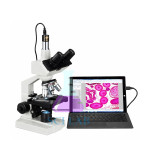
Digital Microscope
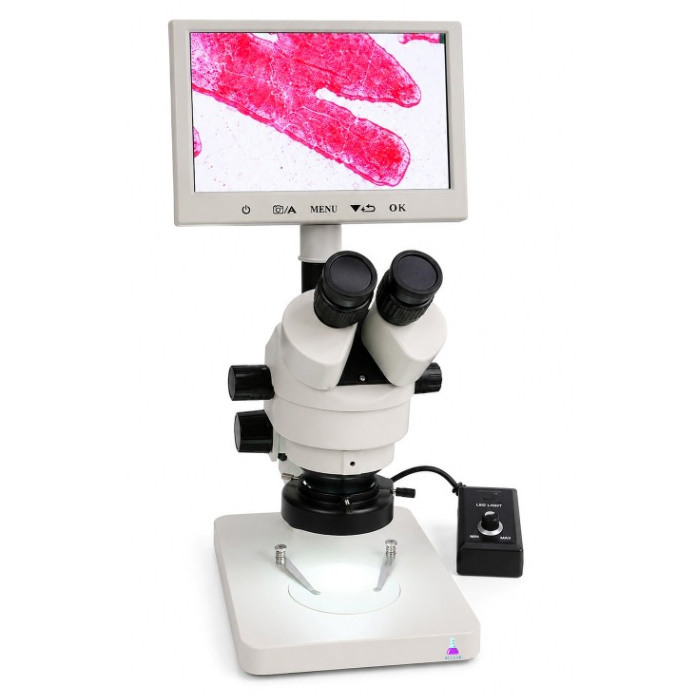
Product Code : SCL-CL-11929
The Digital Microscope combines a microscope and a 2 MP camera, so a specimen can be viewed through the eyepiece or on a computer screen. The camera shoots full-screen images at 1600 x 1280. LED cold lighting, a movable stage and separate coarse and fine focus knobs suit class demonstrations.
Specifications of the Digital Microscope
| Specification | Value |
|---|---|
| Camera | 2 MP, full-screen images at 1600 x 1280 |
| Viewing | Through the eyepiece or on a computer screen |
| Optics | 40X magnification as listed, 10X and 25X eyepieces |
| Lighting | LED cold lighting |
| Stage and focus | Movable stage, separate coarse and fine focus knobs on both sides |
| Body | Die-cast parts, metal base with height adjustment, corrosion resistant, anti-mould treated |
| Supplied by | Science Lab Supplies, Ambala, India |
Showing Specimens on Screen in Class
Focus the specimen through the eyepiece first, then switch to the computer view. The whole class can watch one slide while the teacher points out structures, and each image can be saved for worksheets.
- Plant and animal cells: show an onion peel and a cheek-cell mount made on Laboratory Microscope Glass Slides (Pack 50) and compare the two cell types side by side.
- Prepared slide tour: project tissues from the Set of Microscope Slides and let students label the saved images.
- Change over time: photograph mould growing on bread in a Petri Dish each day and build a picture sequence.
- Close-up comparisons: compare hair, fibres or printed text to practise describing what is seen.
Frequently Asked Questions
Why is the computer screen black or completely white?
Usually the exposure setting is wrong. Too low gives a black screen and too high a white one. Adjust exposure or brightness in the camera software and check that the LED light is switched on.
The computer does not show the camera. What should I check?
Check that the camera software and driver are installed, that the right camera is selected in the program and that live view is on. Then reconnect the cable and restart the program.
Why does the saved picture look blurred when the eyepiece view is sharp?
The eye and the camera may not focus at exactly the same point, and a camera will not record a sharp image of a soft focus. Make the final fine focus adjustment while watching the screen, then take the picture.
Does the camera need more light than viewing by eye?
Usually, yes. A camera image looks dark or grainy in light the eye finds comfortable. Turn up the LED brightness or the exposure before saving pictures.
What can a class do with saved images?
Students can label cell parts, compare specimens such as hair or fibres side by side, and track changes in one sample over several days. Saved files also make practical work easy to mark.
Related Digital and Optical Microscopes
- Compound Biological Microscope: monocular head rotating 360 degrees with top and bottom LED lights.
- Digital Trinocular Microscope: 3 MP USB camera and 10.1 inch Windows 11 tablet, 40x to 1000x.
- Digital Binocular Microscope: binocular head with a built-in 3MP camera and a tablet that rotates 360 degrees.
- Trinocular Research Microscope With Digital Microscopy Screen Camera: trinocular head at 45 degrees with semi plan objectives from 4x to 100x oil.
- Microscopy Accessory Kit: scissors, tweezers, a scalpel and two needles with handles.
More models are in the school microscope range, part of School Lab Equipments.
Uganda, the UAE, Saudi Arabia, Oman, the Philippines and Nepal are among the export destinations Science Lab Supplies can reach with its Importer-Exporter Code. The digital microscope can be added to the enquiry cart, or a quotation asked for on the contact page.
Last updated: 14 November 2026